Use AI for sales communication
Sales Agent in Microsoft Copilot combines Microsoft 365 work data and CRM data to help you review customer communications, draft emails, and prepare for customer conversations. Features that use work data from Outlook, Teams, and other Microsoft 365 services require a Microsoft Copilot license.
Summarize sales email threads
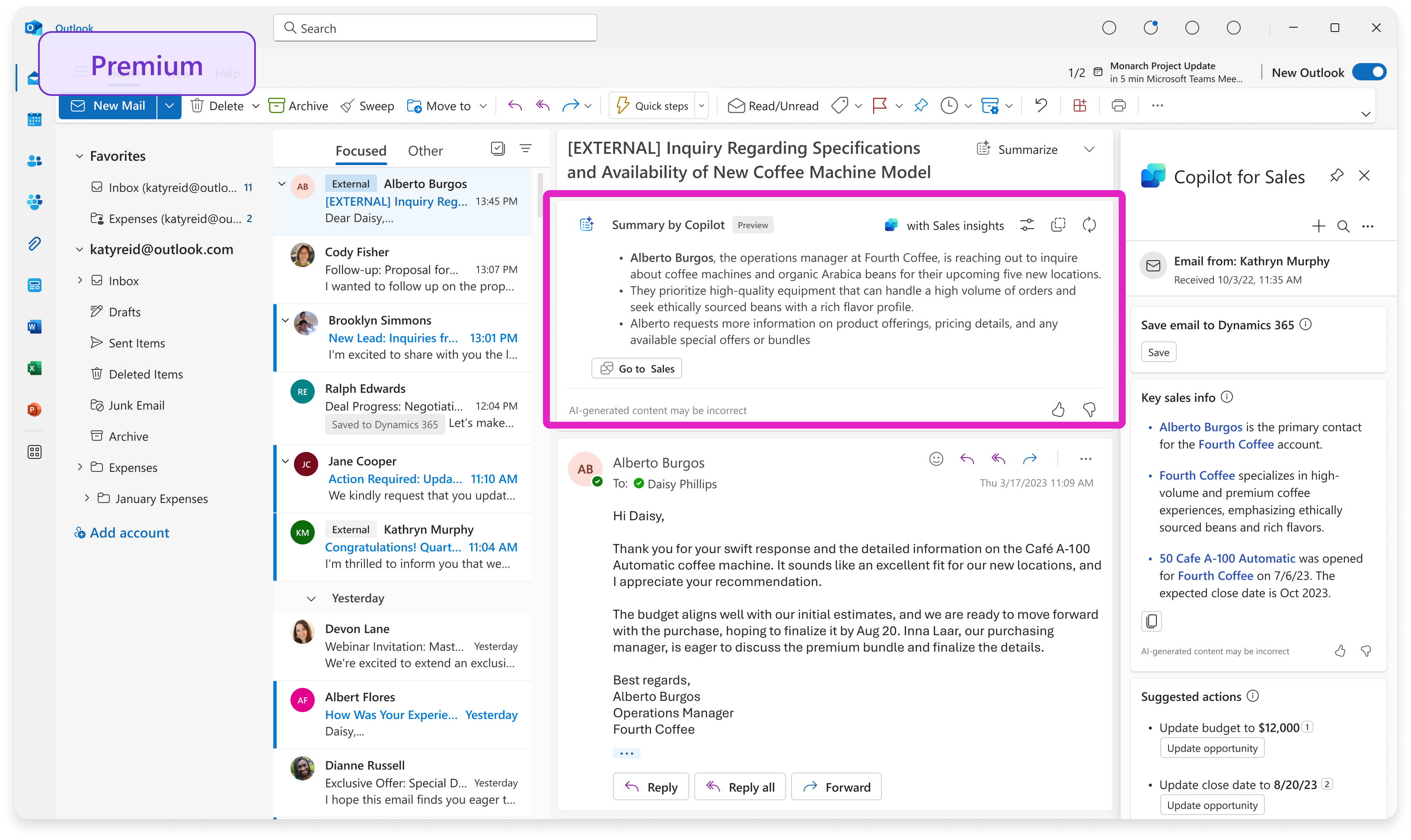
Sales Agent can summarize qualifying external email threads in Outlook and enrich the summaries with related CRM information. Depending on your license and Outlook version, the summary appears in the Summary by Copilot box or in the Key email info card in the Sales pane. Review AI-generated content for accuracy before you use or share it.
Draft sales emails with AI
Sales Agent can draft replies by using the email context and relevant CRM information. You can start with response categories such as replying to an inquiry, making a proposal, or addressing a concern. Review and edit the generated draft before you send it.

Prepare with opportunity and sales information
Sales Agent displays information about contacts, accounts, opportunities, and leads that are related to an email or meeting. When available, email summaries identify whether the message mentions budget, stakeholders, need, and timing. Opportunity summaries and recent customer communications provide additional context before you respond to an email or join a meeting.
